


Vibe Coding a Database Lab: How I Built DBCanvas to Stop Rebuilding the Same Test Environment
Jaime Sicam
 Percona
Percona gives us room to work on our own AI-assisted projects, and I used mine to fix a problem I kept running into. Every time I wanted to try a new database feature, debug something tricky, or reproduce a customer issue, I ended up rebuilding much of the same infrastructure: DNS, TLS, Docker networking, database topologies, users and test data. Over the years, I wrote scripts to automate this but I still found myself copying and pasting post-installation steps from one lab to the next.
That repetition is what turned into DBCanvas, a self-hosted lab for designing, deploying, operating, and stress-testing multi-node database stacks on my own machine. Just design a topology on a canvas, click Deploy, and get real running nodes connected to the services and supporting infrastructure your test requires. Then, use the tools built into it or third party tools to load those databases, watch them work, and figure out why they’re misbehaving.
The code is up at github.com/jaimesicam/dbcanvas.
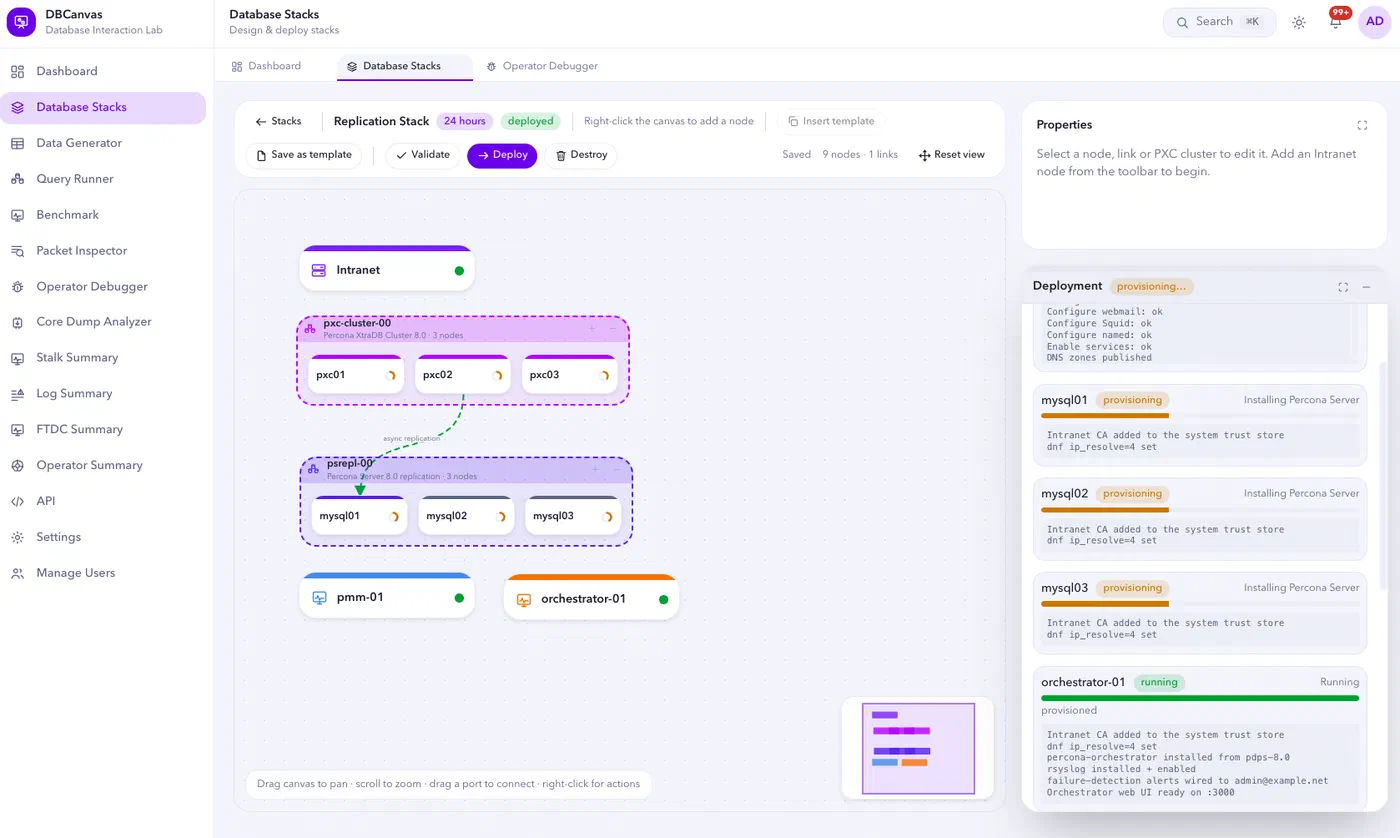
Figure 1: Deploying a multi-node MySQL topology with monitoring and orchestration
It’s vibe coded, and that’s the point
I want to be upfront about this that DBCanvas is vibe coded and built conversationally with an AI coding assistant rather than hand-written line by line. That turned out to be exactly the right approach for a tool whose whole job is to remove setup friction.
My initial loop or workflow looked like this. I started by asking the assistant to generate UI/UX demos for the frontend with React, a backend with Go, a drag-and-drop node canvas, a user management system and I iterated it until it felt right. Once I was satisfied, I asked it to turn those requirements into a SCAFFOLD.md which contained a full blueprint precise enough for the coding agent to rebuild the app from scratch as it contained the tech stack, naming conventions, directory tree, backend behavior, frontend behavior and the interactive details of the node editor itself.
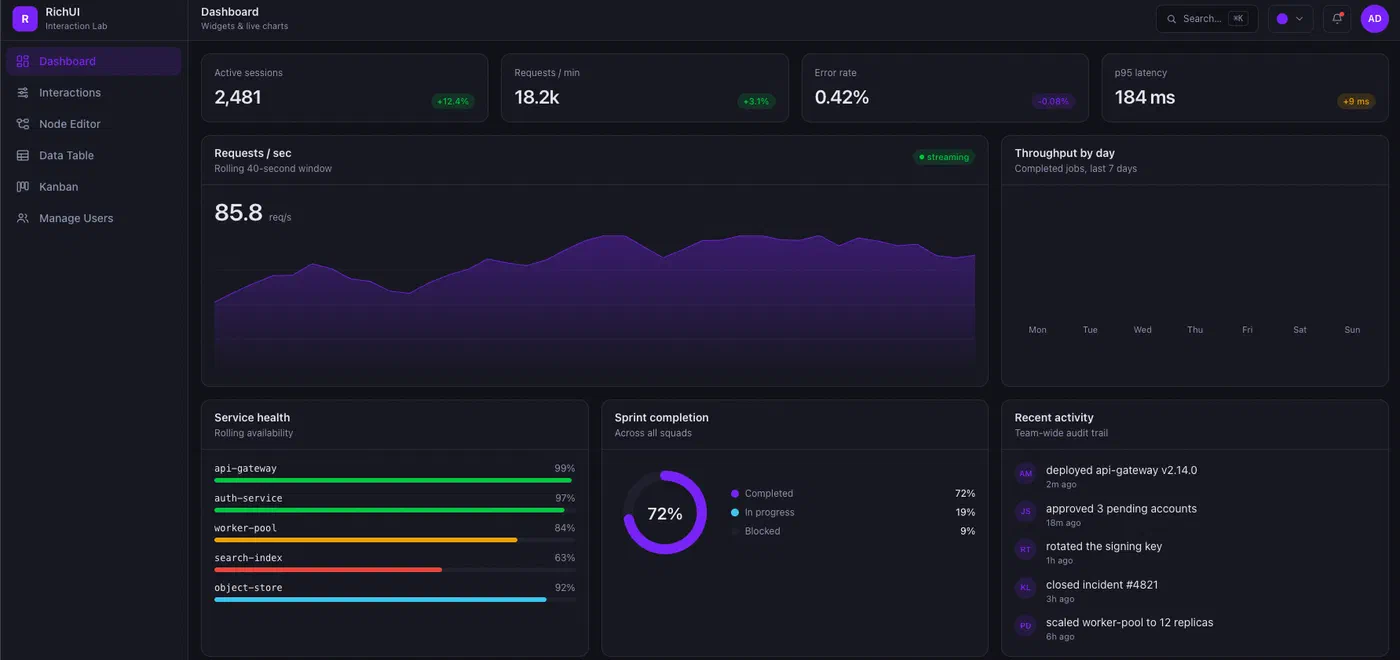
Figure 2: The initial interface prototype that established the visual direction
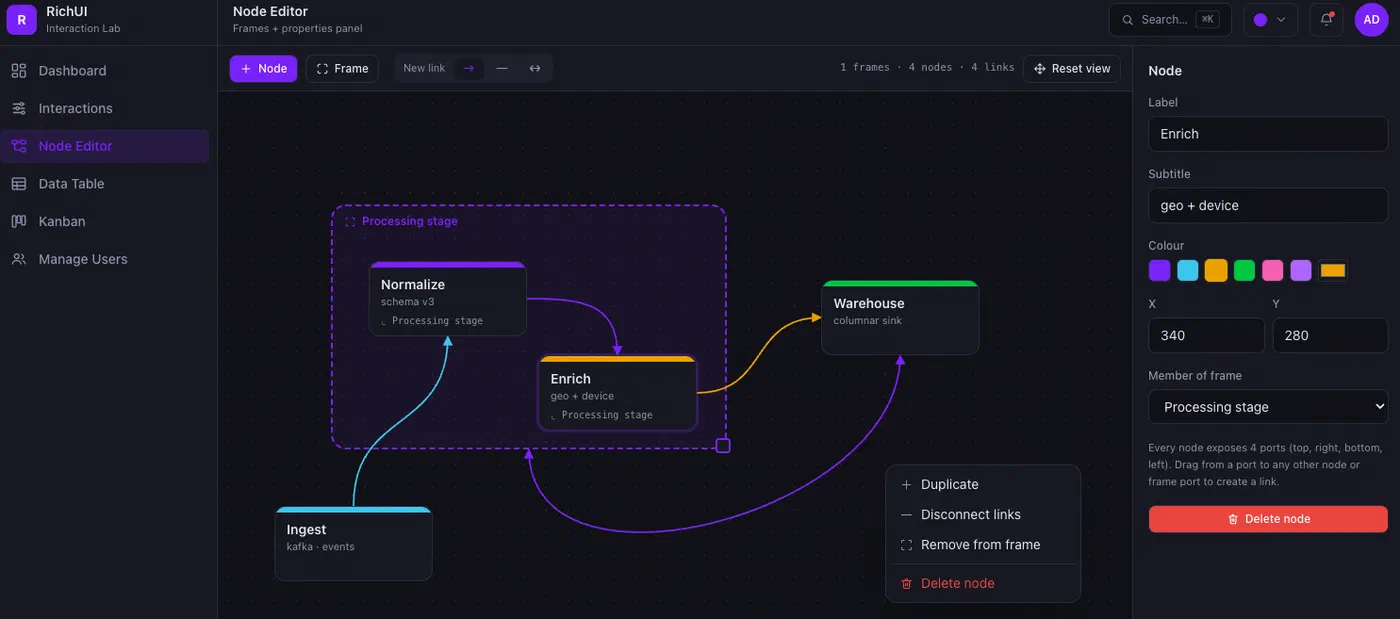
Figure 3: The initial node-editor prototype for composing connected services
From there, I added features incrementally, budgeted by whatever tokens I had available in a session and logged every change in an IMPLEMENTATION.md so that I have a record of what it took to go from the original scaffold to wherever the project currently stood.
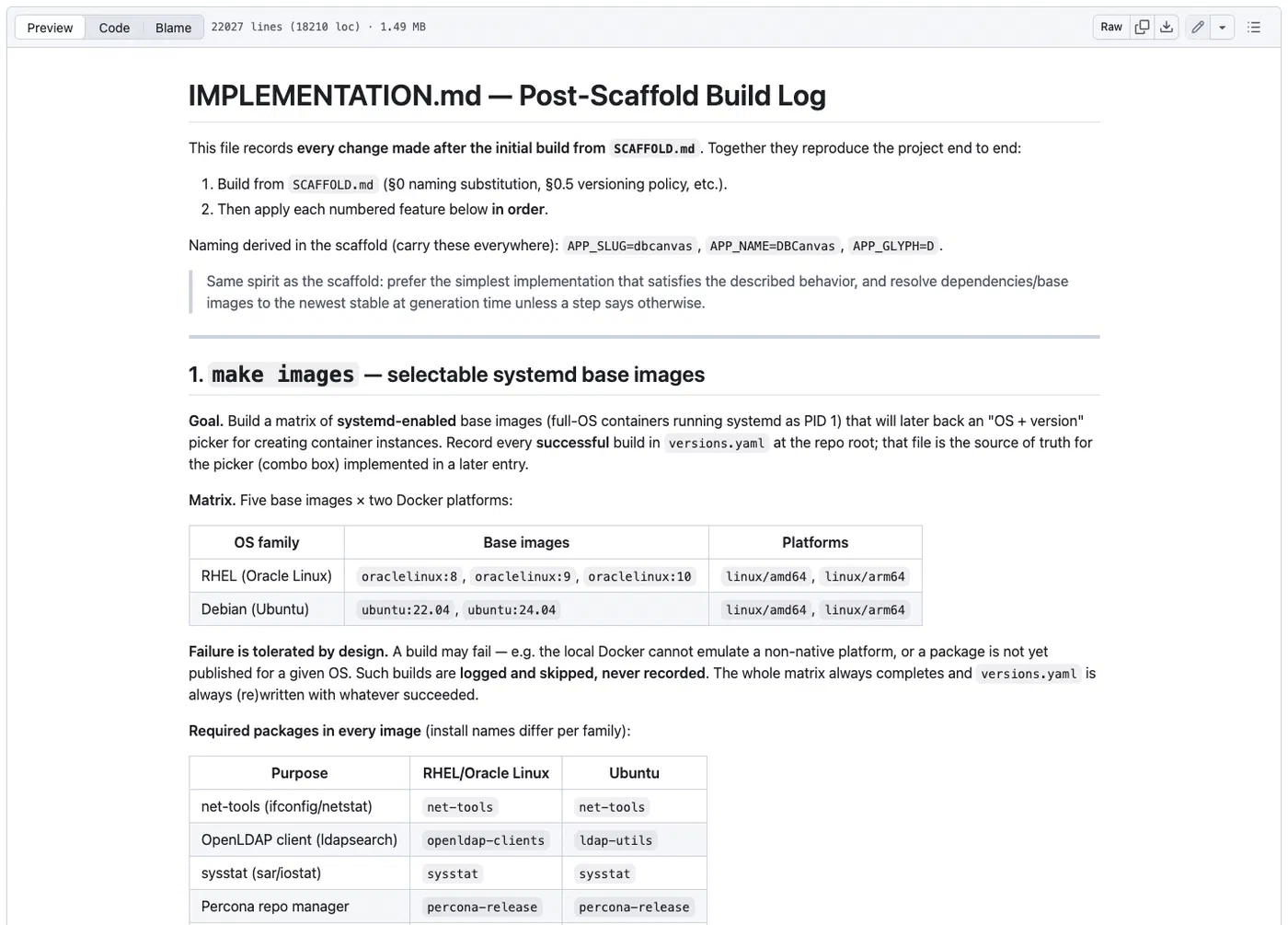
Figure 4: IMPLEMENTATION.md records each feature added after the initial scaffold
If I ever needed to rebuild the project from nothing, those two files are essentially the whole story. I know it is crude, but it’s my first time building with this many moving parts. It has held up so far at least for me.
The current loop looks like this:
- Hit friction while testing, debugging, or learning something new.
- Describe the environment that would remove that friction.
- Let the assistant scaffold the automation: versions, configuration, identity, data, and tooling for that environment.
- Keep whatever turned out to be reusable inside DBCanvas for next time.
- Turn the whole workflow into something you can drive from a browser.
When Percona Server 8.4.11-11 shipped OpenID Connect authentication, I didn’t want to manually set up a Keycloak instance, wire up realms and clients, create sample identities, and configure Percona Server’s OIDC plugin every time I wanted to poke at it. Instead, that became a new DBCanvas setup. Deploy Keycloak + Percona Server + sample identities with a few clicks. You can inspect the generated OIDC configuration, authenticate with an ID token, and verify the mapped MySQL role, all without setting this up yourself. Vibe coding is what made it fast enough to build that scaffolding the same day the feature landed, and DBCanvas turned it into a reusable setup I can deploy again whenever I need it.
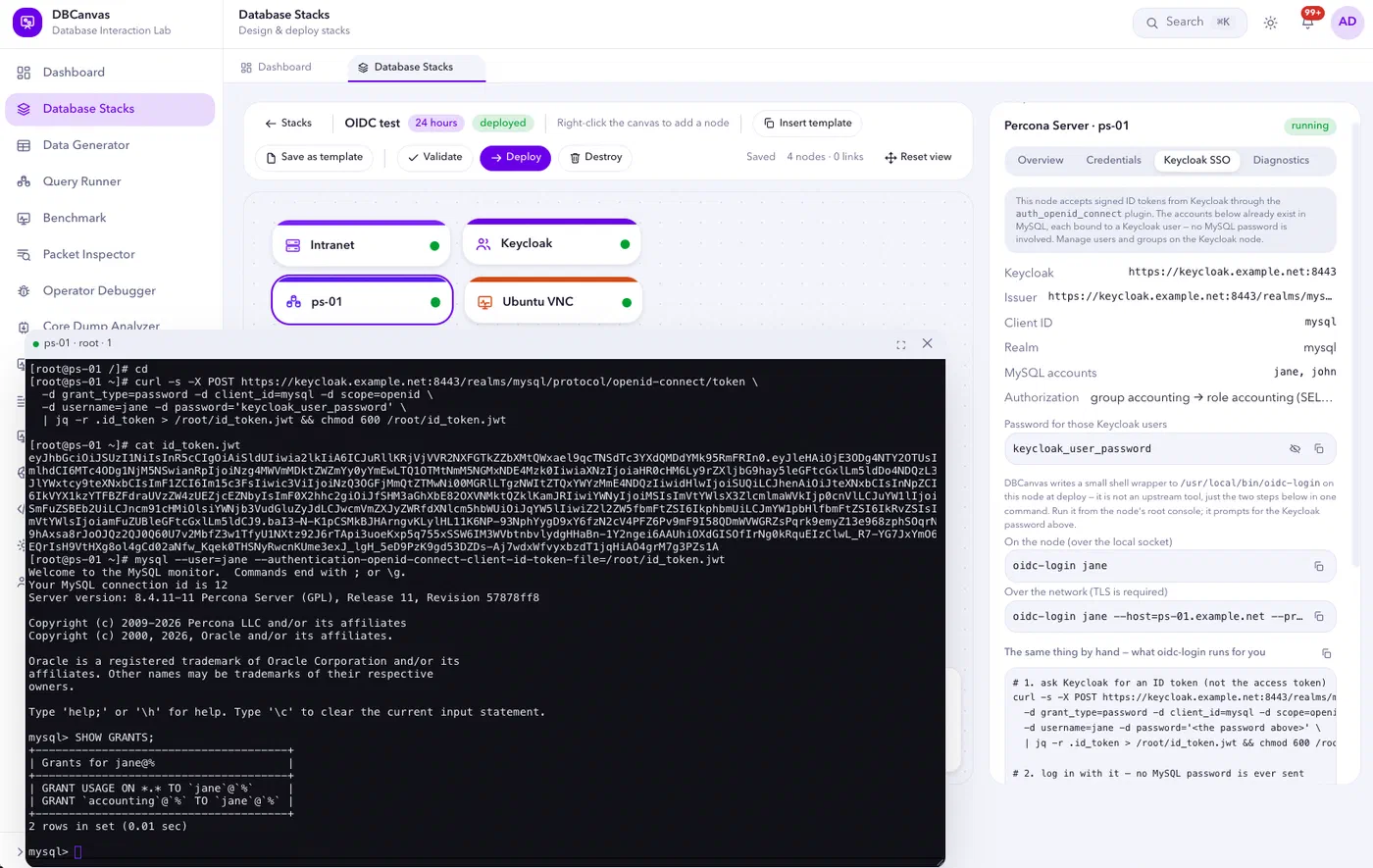
Figure 5: A Percona Server OIDC lab with Keycloak and a success mapped-role login
It’s not just about one feature… it’s a whole lab
OIDC with Keycloak is just one example. DBCanvas can also build a broader range of database environments:
- MySQL: Percona XtraDB Cluster, Percona Server, MySQL Community, asynchronous replication, InnoDB Cluster and Group Replication, and MariaDB
- PostgreSQL: standalone, Patroni, repmgr, Spock multi-master, CloudNativePG or Crunchy PGO on Kubernetes
- MongoDB: Percona Server for MongoDB as standalone, replica set, or sharded cluster
- Valkey: standalone and cluster
And around them, the infrastructure that makes a stack behave like a real environment. An Intranet node can provide DNS, mail, OpenLDAP, a Squid proxy and a certificate authority. Other nodes provide PMM, ProxySQL, HAProxy, Orchestrator, SeaweedFS S3, Keycloak, OpenBao, Samba AD DC, and a Kubernetes frame that runs any of six database operators.
A useful lab also needs activity. DBCanvas ships application simulators for a hotel booking system, an airline, a car rental fleet, and a stock exchange. Spin up a MongoDB replica set and point the stock market simulator at it and writes begin flowing through the set. You can observe elections and inspect real oplog activity instead of manually generating load against an idle cluster.
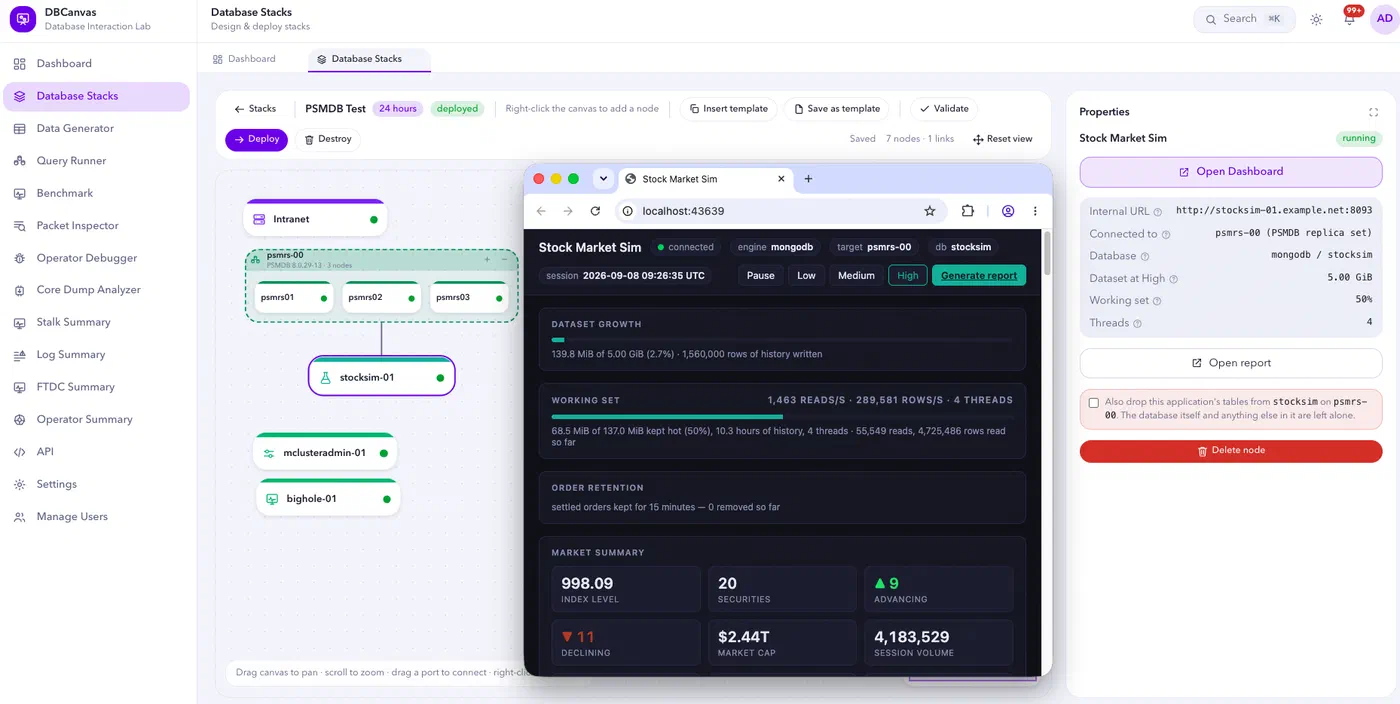
Figure 6: A MongoDB replica set running the stock market simulator with diagnostic tools attached
Leaning on tools other people already built
DBCanvas can make deployments more useful by integrating tools my colleagues have built for managing, troubleshooting and analyzing database environments. I can add them as part of the deployment workflow and place it alongside the database it is intended to work with.
- MClusterAdmin, a MongoDB administration panel created by Przemek Malkowski, runs as its own node alongside a MongoDB deployment. It displays topology and replica-set status, sharding and the balancer, slow queries with explain, indexes, users and roles, all in a browser tab.
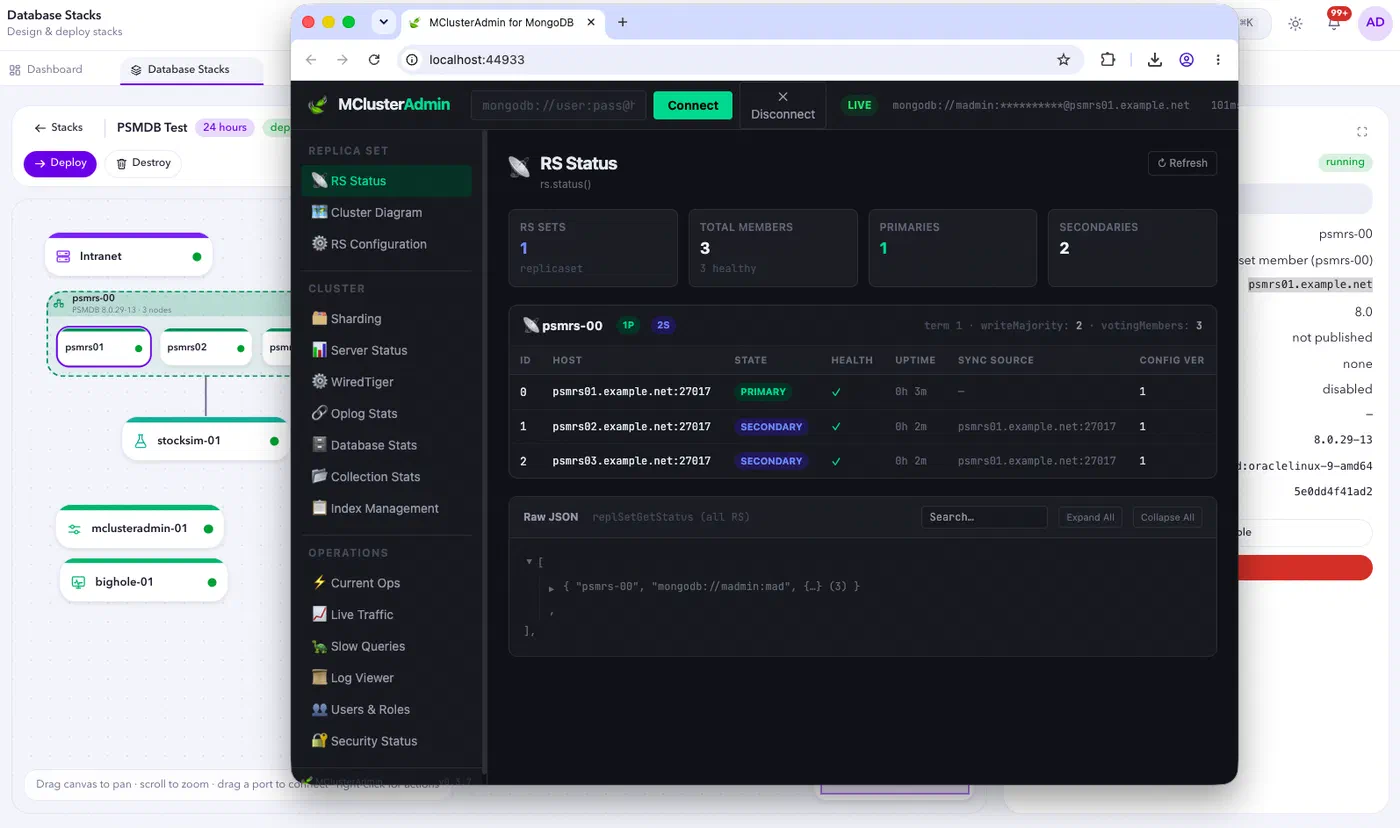
Figure 7: MClusterAdmin displaying the replica-set state for a DBCanvas deployment
- Big Hole, an FTDC viewer, developed by Zelmar Michelini that decodes
diagnostic.data. Drag in a folder and Big Hole charts every metric it can find. In DBCanvas, collecting the data is just as straightforward: right-click a MongoDB node, open the context menu, and download a compressed archive containing its logs and diagnostic data. Simply decompress the archive to your download directory, then drag the folder into Big Hole to visualize FTDC metrics alongside related log events.
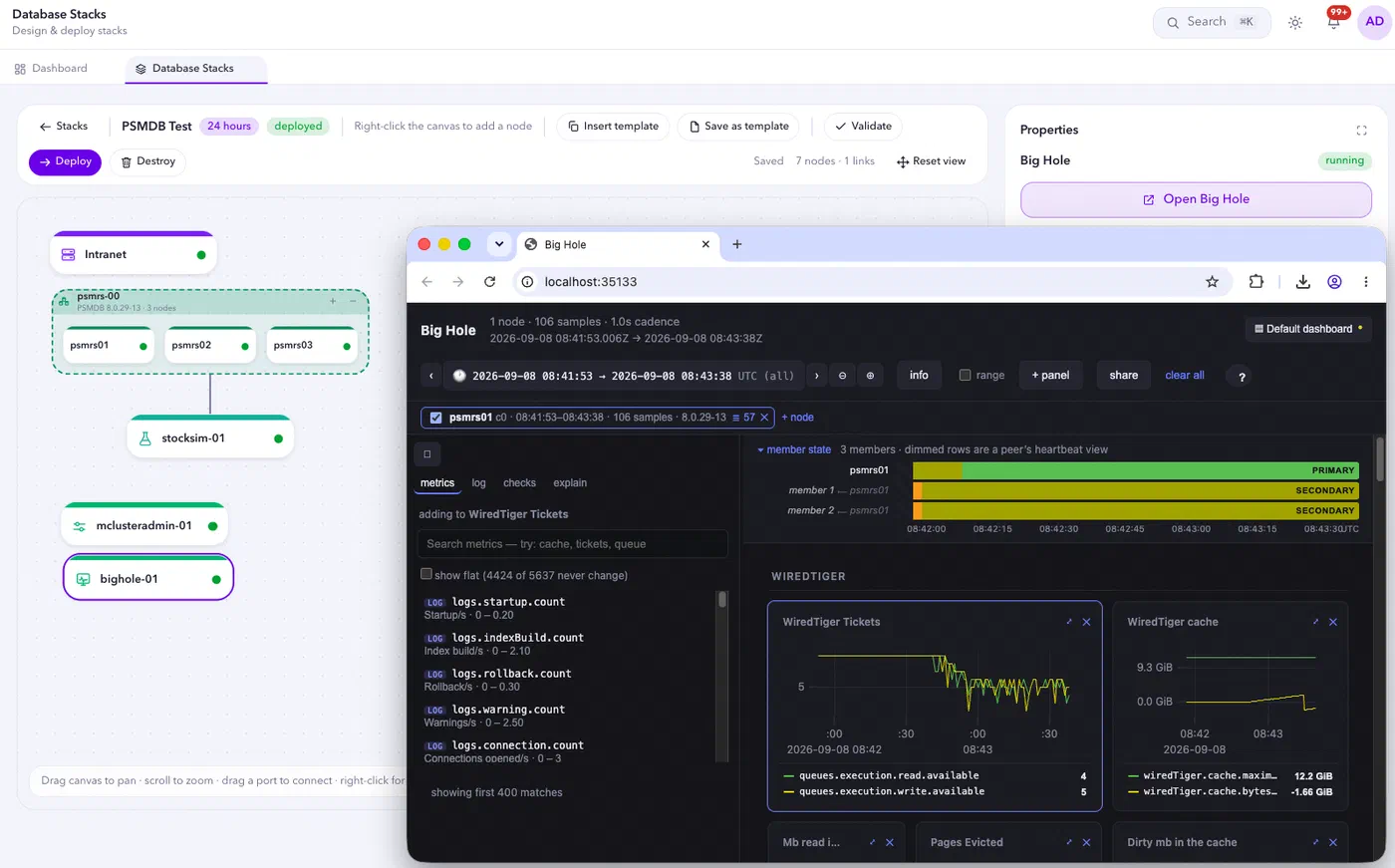
Figure 8: Big Hole visualizing FTDC metrics downloaded from a MongoDB node
The same principle applies to deeper diagnostic work. DBCanvas automates the setup around proven tools instead of replacing them.
For example, the Operator Debugger uses Delve to step through Kubernetes operators with breakpoints, call stacks and variables.
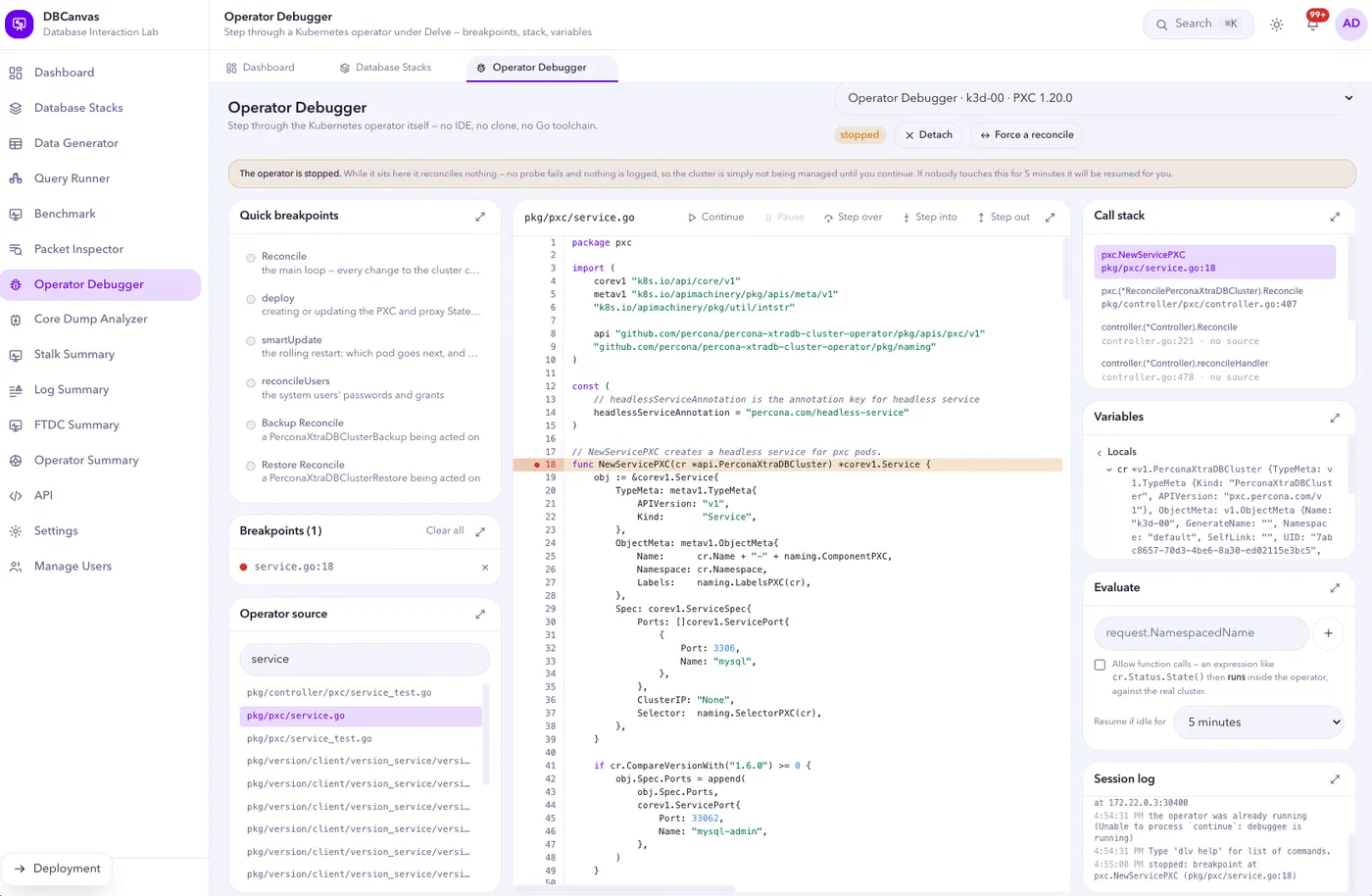
Figure 9: Operator Debugger paused at a breakpoint inside a Percona operator
There’s also the Core Dump Analyzer where you can mount a core dump and matching binaries read-only, then inspect it with GDB.
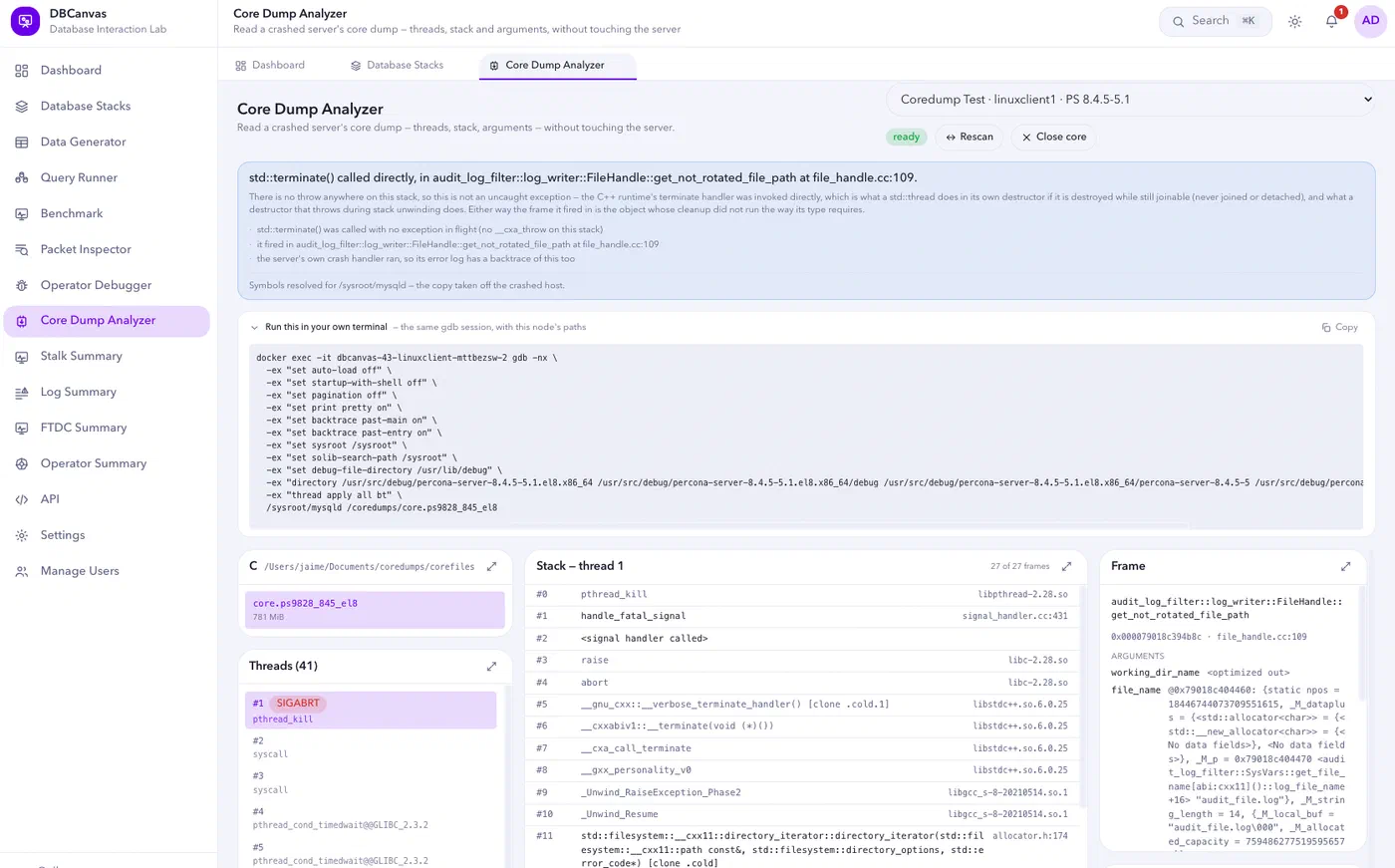
Figure 10: Web-based Core Dump Analyzer with equivalent terminal command for manual troubleshooting
Ease of Use
While DBCanvas makes it easy to deploy environments but for troubleshooting, you still need to look deeper into the implementation within the nodes. Accessing the deployment via web terminal, regular terminal or web-based Filemanager would be helpful to have command of the deployment.
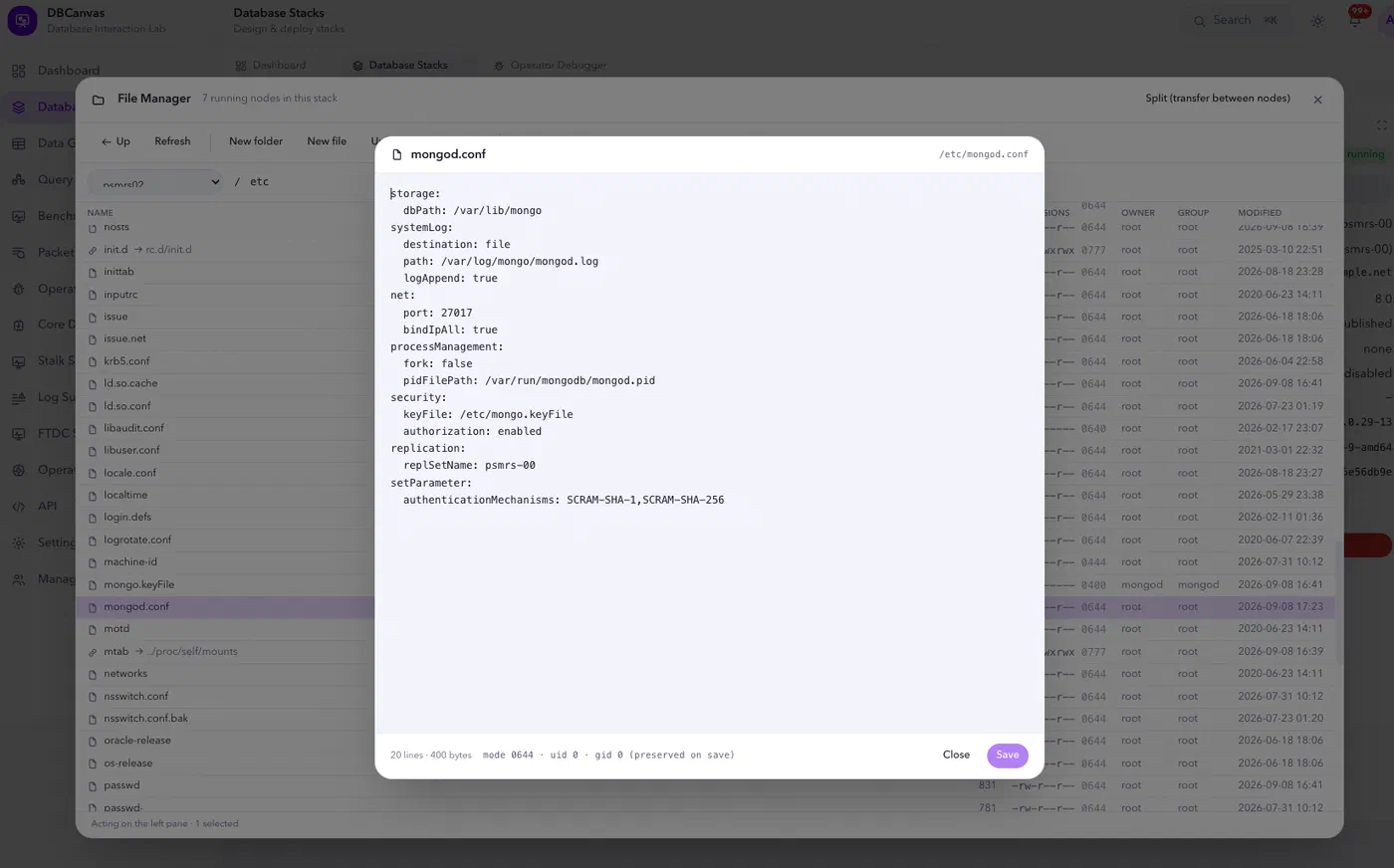
Figure 11: The file manager inspecting a MongoDB configuration inside a deployed node
The node menu provides the exact Docker exec command for direct access from a regular terminal.
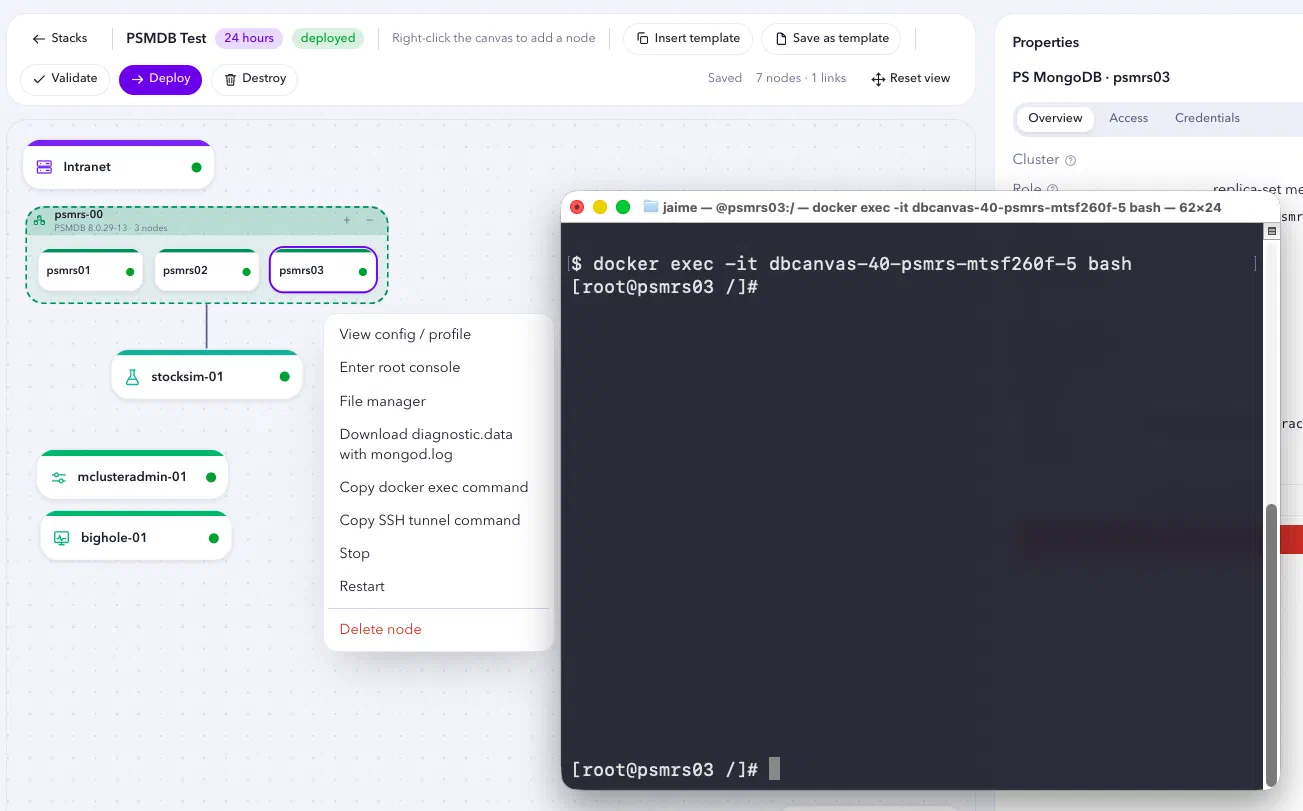
Figure 12: Direct container access from a Docker exec command copied from the node menu
Testing beyond deployment
DBCanvas also comes with a data generator, a parallel query runner, a benchmark tool (OLTP/OLAP, read-write and read-only), and a packet inspector that decodes MySQL, PostgreSQL, MongoDB and Valkey traffic off the wire.
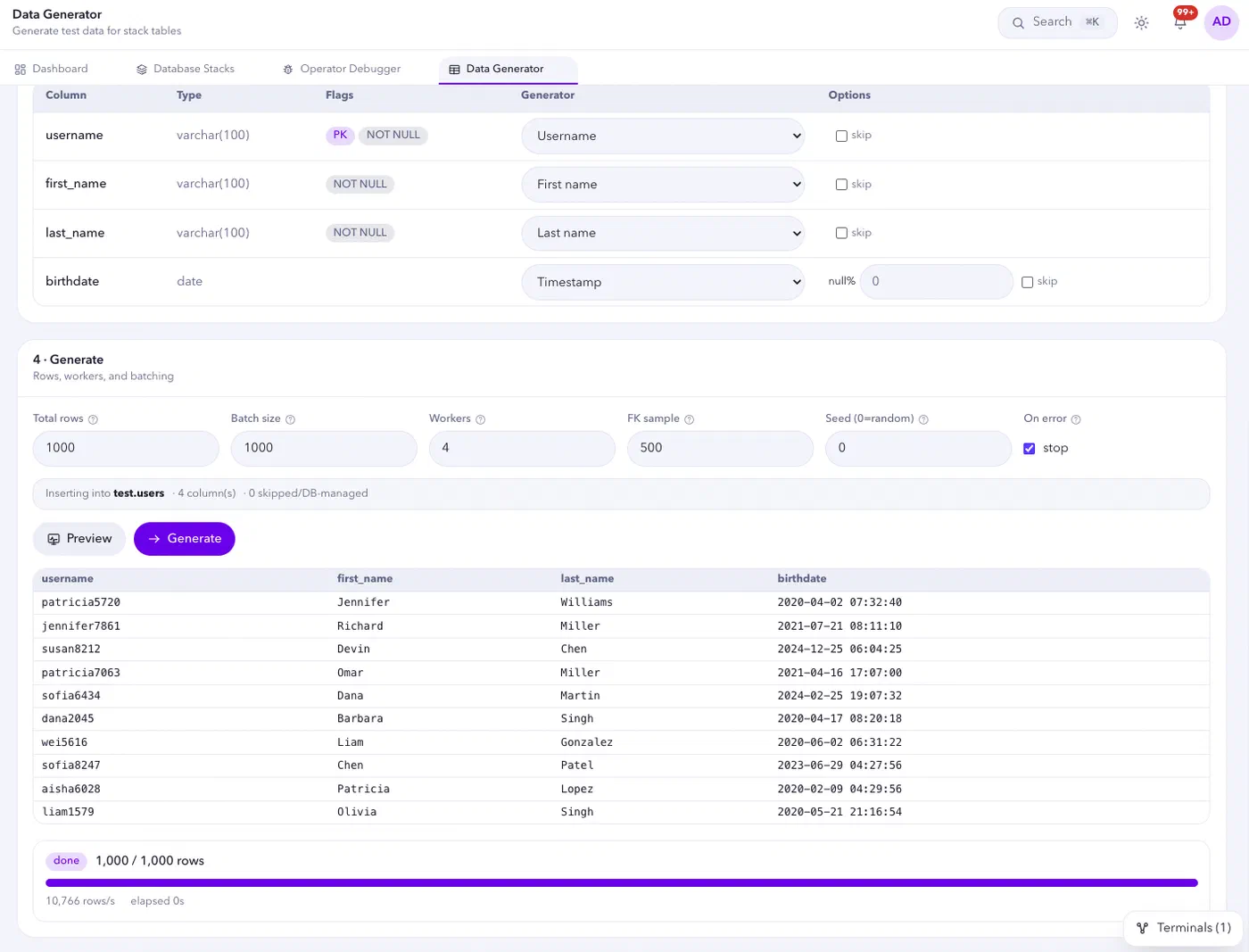
Figure 13: Data Generator creating sample rows for a deployed database
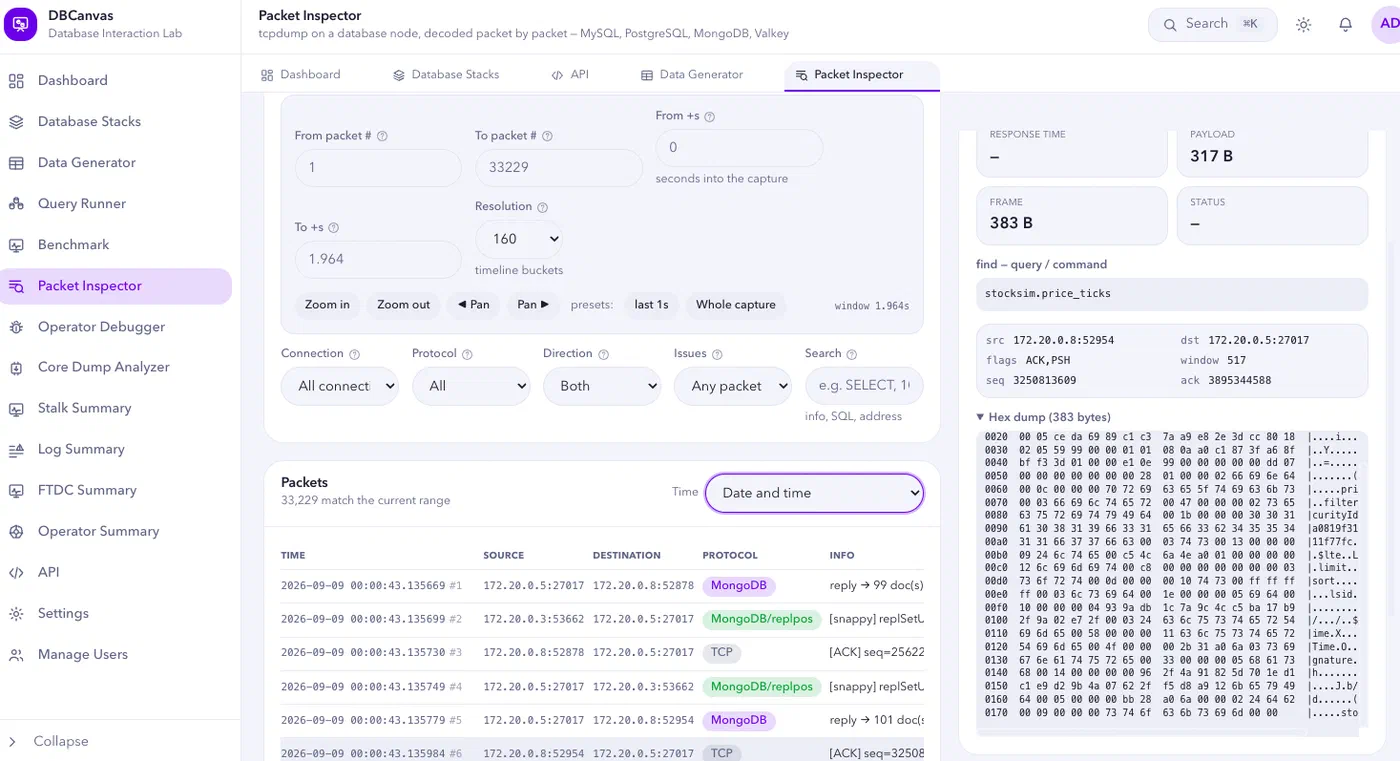
Figure 14: Packet Inspector decoding MongoDB traffic from the lab network
Together, these tools help reproduce problems facing a real deployment as I can generate data, apply load, inspect queries and examine network traffic.
Try it
git clone https://github.com/jaimesicam/dbcanvas.git && cd dbcanvas
make install
That builds the node images and starts DBCanvas at http://localhost:8080. The first run takes a while since it’s building docker images from scratch and learning which software versions are available for each OS.
Three important caveats:
DBCanvas creates disposable labs for previewing, testing and learning. It’s not a production software. It uses default credentials and favors setup speed over production security.
My workstation remains its primary test environment. If you run it elsewhere and encounter a bug or rough edge, please open a GitHub issue.
Some features are still maturing. I chose to bring many capabilities into one project, which means a few areas still need additional refinement and testing. For example, the Core Dump analyzer could benefit from more sophisticated variable extraction as well as the automatic detection of the appropriate operating system and compatible debug libraries to deploy.
If you’ve ever rebuilt the same test cluster for the third time this month, or wished you could hand a colleague a working reproduction instead of a page of setup instructions, try DBCanvas as it might save you some of the time it has saved me. ∎



Discussion
We invite you to our forum for discussion. You are welcome to use the widget below.