


How I Stopped Babysitting My Coding Agent (With Dotfiles)
Zsolt Parragi
 Percona
Most developers at least try to use coding agents for development-related tasks, but babysitting LLMs and managing their permissions is no fun. Completely skipping permission checks is a dangerous idea on your main machine, and setting up containers or VMs for sandboxing is a pain. Can we do better?
The autonomy problem
If you work in software development, you have most certainly heard the phrase:
Let’s just use an LLM to solve it!
People tend to forget that it’s a bit more complicated than this: anybody can easily use LLMs, of course, but using them properly is a different question. Ideally, we could all just download a simple tool, give it some instructions, and relax:
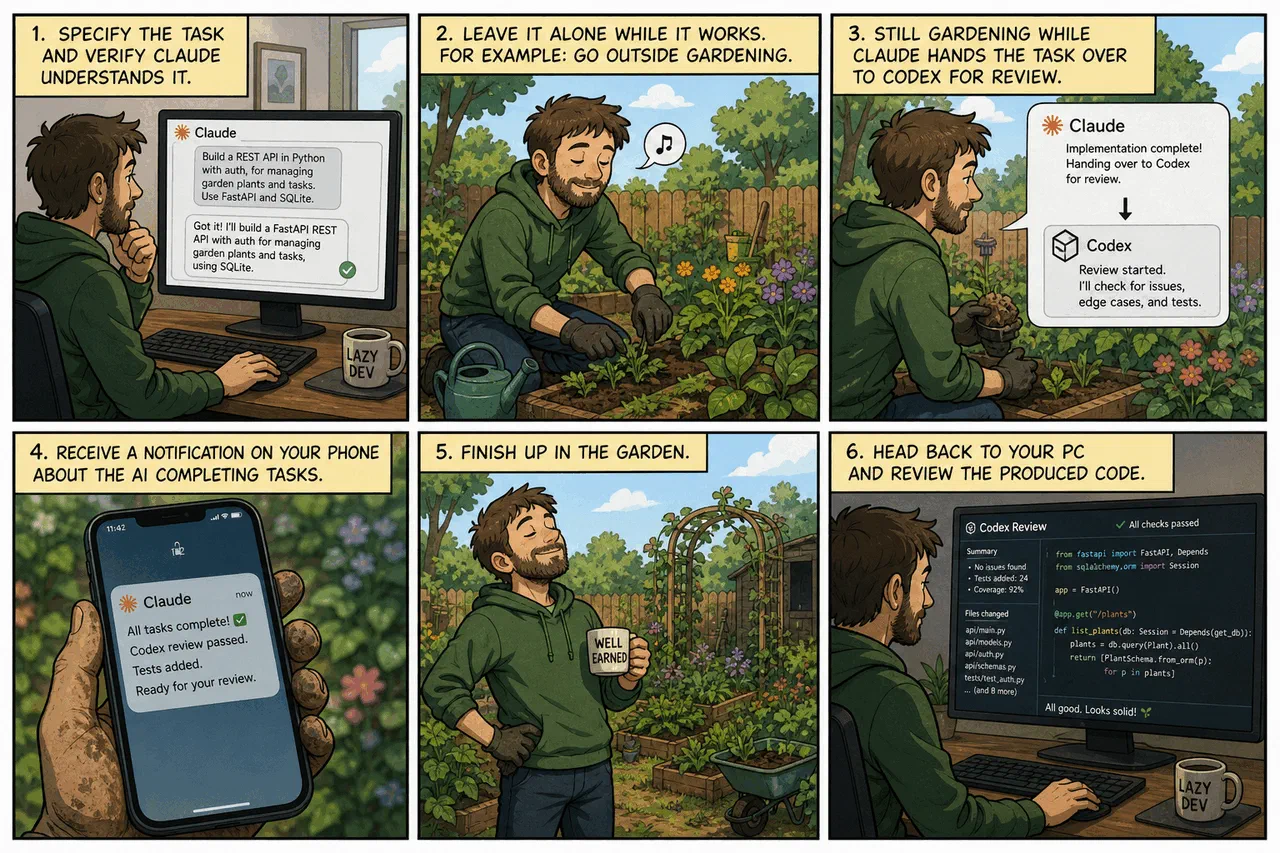
Disclaimer: your employer might not approve if you do gardening during work hours; I suggest choosing a different activity in this case!
In all seriousness, every panel in the above image contains details that people tend to ignore, which either results in inefficient workflows or the creation of slop.
We can’t talk about all of them in one go; it would be overly long and complex.
I’ll only focus on panel 2:
what can we do to ensure our uninterrupted gardening normal work?
If you simply download Claude/Codex and start using the CLI tool, VS Code extension, or anything else, you’ll quickly get bored of all the babysitting.
Hey, user, can I execute another slightly different
lscommand?
Either you decide it isn’t worth the effort because of all the interruptions, or you start blindly hitting Enter: “of course I approve, it should be safe…”
- Are you really thoroughly reviewing every command it throws at you?
- Even that 100-line bash script the TUI doesn’t display properly, because it wouldn’t fit on the screen?
- Have you ever seen an agent circumvent directory permissions by accessing the restricted files through a one-off script instead?
Fine-grained permissions of course exist, and in theory, you could try to configure something like that. But let’s be honest, most of us won’t take the time, and we likely won’t notice if (3) happens as part of a long script.
Let the AI run free
That’s the point where you might discover the other option: completely disabling the permission system and letting the AI do whatever it wants.
Nothing can go wrong, it’s only on your machine, right?
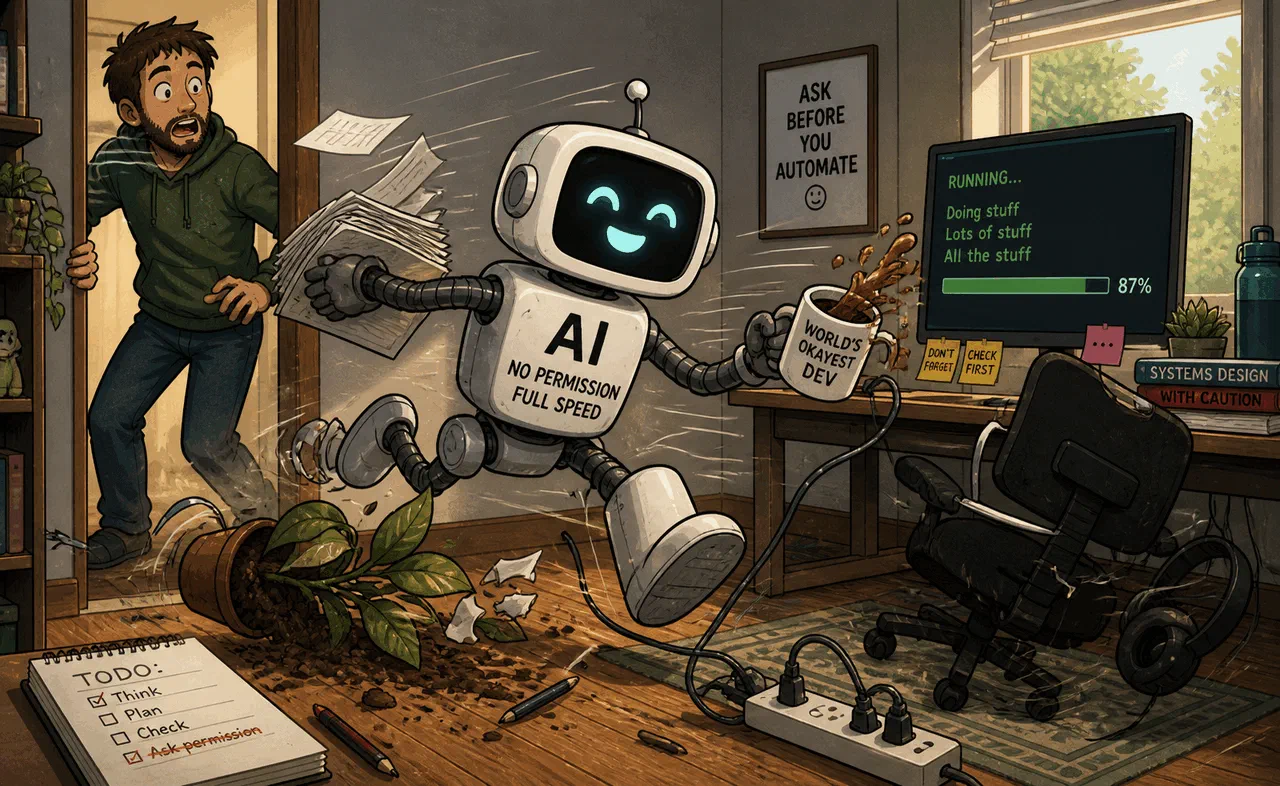
Except that:
- it will also have full network access, both for reading and posting
- it can read all your secrets: its own OAuth token, your SSH key, and so on…
- do you load your SSH key into ssh-agent? That’s convenient so you don’t have to enter your password every time, but do you also have a hardware key you have to touch on every use, or can the AI force-push your repository and later say
You are absolutely right! I shouldn’t have done that. If you have backups you can restore them with the following steps: …
Or it might end up in any number of similar situations.
Coding agents aren’t malicious by design, but they can be subject to prompt injection from the web, or simply reach dumb conclusions.
There’s a good reason why Claude, for example, calls this option --dangerously-skip-permissions.
Put them in a cage!
The next obvious choice is to let them run free, but only within a cell: run the agent inside a container or virtual machine, where it can only access what you let it.
This, however, costs us some convenience, as we face new issues:
- If we completely separate the environment, we can’t access it from our main system. Allowing AI tools to push to your repo without confirmation is a bad idea, but maybe you yourself should be able to push somehow? Or to verify the changes in a more complex, outside environment?
- Our environment and the AI’s environment are different… which means we have to set up both. I hope your project is easy to bootstrap, with proper scripting so you don’t have to do this by hand. But is your development environment also easy to bootstrap?
There are some existing, ready-to-use solutions: for example, both Claude Code and OpenAI Codex have support for devcontainers. If you want an easy setup, these can be an option.
However, I wanted more: to replicate my main setup exactly – the same compilers, tools, shell and editor settings, and so on. The AI tools should have the same executables available. If I have to edit or do something directly in the container, I shouldn’t be surprised by something working differently.
That’s when I remembered: I already have a dotfiles repo. Can I make it even better for this use case?
Automate all the things!
The idea of dotfiles is simple: a repository where you store your configuration, so when you reinstall your system, or when you have to start using another one, you can quickly replicate your preferred settings. Editors, shells, git – everything works the same, without spending hours figuring it all out again.
The problem is that it usually only focuses on configuring an already properly installed system. When you only buy a new PC every few years, or system administrators already set up every server you have to use before your first login, this isn’t a big issue.
But when you want to be able to quickly set up and iterate with throwaway systems? Then you need better automation!
This is also a solved problem; tools like Ansible and Puppet exist.
The idea is simple:
- instead of manually setting up your system, use an automation tool to install and configure everything
- you can leverage free CI services to make sure that your scripts work when run on a clean system
- while docker/podman traditionally uses its own setup scripting, it is possible to build an image using the same automation tool instead
- the result? Main PC, containers, virtual machines, and quick VPS instances all behaving exactly the same way!
The downside is, of course, that you either have to reinstall your main PC once your new setup is good enough, or accept that it will be slightly different until you do so. I went with the reinstall; it’s easy once you have things working.
And if you don’t know any of these tools? That’s the best part – we’re using AI, and AI knows them well.
A side note on architecture
The focus of this blog post is panel 2, not the others. But I want to at least mention that the architecture and human review, including design review, are as important as with any other AI-driven software project.
If you completely vibe-code it and create an unmaintainable, sloppy dotfiles configuration, you are going to regret it later. This is your everyday work environment.
After the initial idea, when I started to think more about my requirements, I quickly realized that I want something generic.
First, I want to install a different set of packages depending on where I am installing them: containers, WSL instances, or real machines. My laptop needs slightly different settings compared to my desktop.
Second, I want to be able to do this on multiple distributions. Previously it was really annoying when I had to debug a distro-specific bug, unless it happened to involve one of my primary Linux distributions. I am also using a different OS on my work laptop and personal desktop PC because of company requirements.
With a proper Ansible setup, I can make all of these work seamlessly, even autodetecting the environment, and verifying all important configurations on CI for every commit.
Your requirements will most likely be different. Think about these beforehand and structure your repository accordingly!
Containers or virtual machines?
So far I mentioned both as alternatives, and both have their pros and cons.
| Aspect | Container | Virtual machine |
|---|---|---|
| Resource overhead | Low | Higher |
| Spin-up time | Seconds | Minutes |
| Host integration (mounts, networks) | Easy, direct | Network only |
| Isolation from host | Partial | Strong |
| GUI / IDE support | Limited, terminal-friendly | Full desktop |
| Privileged tools (GDB, GPU) | Extra capabilities required | Native, inside the VM |
| Credential storage | Shares host’s filesystem | Must duplicate (SSH key, hardware key) |
For now, I went with containers. With a few helper scripts I can mount specific directories from the host OS, and I can also specify which docker/podman network the new container should join. This lets me start up my docker-compose development clusters directly on my main OS, and lets the agent access the development/test database and other containers for its work using the shared network.
dcont run --mount `pwd` --network hackorum_default --context main-devI even have a context parameter, which lets me keep multiple independent AI configurations: different system-level CLAUDE.md, plugin set, hooks, and so on.
Underneath, this is just a few specific mounts and symlinks, but the advantage is huge:
- I can quickly experiment without fearing that I’ll break my main workflows
- I have completely separate setups for development and review work, without them conflicting with each other
The upsides are easy integration, lower resource overhead, and quicker spin-up. I can mount directories directly from the host, and easily interact with docker containers running on the host.
The downside comes from that same integration: everything is still on the host, and the more access you give to the container, the less secure it becomes. Tools like GDB and GPU access require extra privileges, and you might have to relax SELinux features for the container.
The privilege problem, and the possibility of giving the container too much access, is a real risk. Docker, which runs as root on the host, and rootless podman, which maps the container root to the current host user, behave very differently if something is misconfigured – but neither protects the data accessible to the running user.
You can tighten the defaults with flags like --cap-drop=ALL, --security-opt=no-new-privileges, and read-only mounts where possible, but these only narrow the attack surface; they don’t fix what you mount in.
Which means what you mount matters more than which runtime you pick.
Mounts and credentials
.env files, for example, can be challenging:
these can contain API keys, passwords, and other secrets required by the application, which ideally shouldn’t be accessible to the coding agent.
I started using two levels of them – one in the project folder with only generic data, and another one level above containing sensitive login information for external services.
This way, when I mount the project folder, the container can’t access the sensitive .env file.
There are also some special files to watch out for:
mounting /var/run/docker.sock into the container, for example, can break the sandbox completely, as it grants access equivalent to root on the host.
When to pick a VM instead
A container also isn’t a full-fledged desktop. Personally, I am used to working in terminals; I like tools like tmux or neovim. But if you prefer desktop applications and IDEs, a full virtual machine might be a better option.
Full virtual machines aren’t more difficult to set up and give you a complete GUI, but they raise a different question: how do you set everything up without accidental credential leaks?
You either rely on network synchronization between your main OS and the virtual machine – pushing to remotes only from the main OS – or you give the virtual machine a hardware key and store your SSH key on it.
Agents can of course always access and leak their own API keys; we can’t do anything about that with 100% certainty. But we can aim to reduce their ability to leak anything else, by minimizing what they physically have access to.
An example setup
You can check out my dotfiles for inspiration. It should be only that: something you can look at while designing your own version.
It is designed for my workflows, and yours are most likely different. You also shouldn’t blindly trust a script somebody else’s LLM generated.
The helper script
The repository has a readme; the most interesting part is probably the script I mentioned earlier, which builds and runs the containers.
It is long and complex, and deals with additional details I didn’t even mention here, to keep this introduction from getting too involved.
The basic idea, however, is easy to summarize. A basic docker command is simple:
docker run -it ubuntu:latest /bin/bashBut it also gets complicated quickly:
- what folders need mounting? (the project, specific directories for tools)
- which networks to join?
- do we have to set up specific hardware, like a GPU?
- do we need specific access permissions for some software?
- and so on
The command quickly becomes longer and longer, and copy-pasting it from notes or shell history isn’t fun. It is also most likely project-specific. You want different mounts, different contexts for AIs, different specific permissions. All this should be configurable, and still simple.
In my case, most of my projects also have .env files set up, which makes it a no-brainer to also support configuration through environment variables.
Most of the time, all I have to do is cd into the project directory and execute dcont without any extra parameters. That starts up a ready-to-use, project-specific setup, and I can immediately start typing instructions to Claude.
The Ansible part
I already mentioned this before, but didn’t go into the details: you can build docker or podman images with Ansible.
Normally this isn’t that useful: if the only goal is a container cluster, a Containerfile is much easier to use, and more efficient for rebuilding, since it automatically detects which layers have to be rebuilt.
If the goal, however, is to replicate the same setup on a real host and in a container, the picture is different. These images are only meant for local use, so layering and image size don’t matter – we’ll never upload them.
Build times are also secondary. Even if a rebuild is needed once or twice a day, you can continue using the previous version in the meantime and switch later. And it’s not like we can’t do proper incremental builds with it; Ansible supports that too – it’s just a bit slower than how containers normally do it.
This is included in the same script, and the solution is surprisingly simple:
- start a container with
sleep infinity - copy the dotfiles repo into it, since it’s already checked out on the host
- run the same dotfiles/Ansible script as on other hosts (with proper parameters)
- set up a proper user
- commit the image
The same could be done using a Containerfile, but what’s the advantage?
The image isn’t shareable or reusable anyway, and some operations are easier to implement directly in bash.
This process also leaves open the possibility of doing incremental builds, instead of always rerunning the installation script from scratch.
The unsaid part: network access
In all of the sandboxing discussion above, I quietly ignored the question of network access: if you give unrestricted network access to an LLM agent, you can have a bad time.
Prompt injection exists, even if AI companies try to make it harder and harder.
For most use cases, a complete network ban is also a bad idea for productivity and code quality, which makes this another complex, open-ended question with its own options and tradeoffs – out of scope for this already long blog post.
I hope the information I provided here was useful, and that you can improve your AI setup based on it! ∎


Discussion
We invite you to our forum for discussion. You are welcome to use the widget below.